Start Block
Every Doly Blockly program begins here. Connect action blocks under Start to begin the program.

Block Reference
Browse Doly Blockly blocks by level and learn how to use them in your programs.
Doly’s Advanced workspace includes six main block types. Beginner and Standard workspaces show fewer types so you can build confidence step by step. Each type has a different shape, connector, or socket, making it easier to see how blocks fit together.
Every Doly Blockly program begins here. Connect action blocks under Start to begin the program.
These blocks connect in a sequence. Doly runs them from top to bottom.
These blocks plug into another block to change settings such as speed, direction, fade, or servo speed.
These blocks join the main sequence and hold action blocks inside. Examples include Repeat and If.
These blocks attach to another block and hold follow-up actions that run when something happens, such as when a block completes.
These blocks fit inside specific blocks. They do not run by themselves, but help another block make a choice or build a step, such as Animation Color inside a Light Animation block.
Friendly starter blocks for expressions, sounds, movement, arms, lights, and timing.
Eye
Eye blocks change Doly's expression.
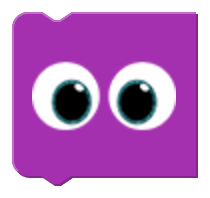
Makes Doly look forward.
 Preview coming soon
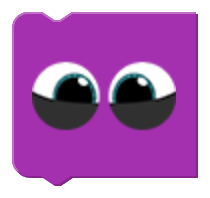
Makes Doly look happy.
 Preview coming soon
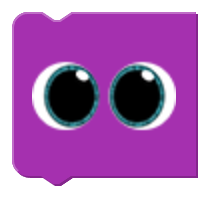
Gives Doly an excited expression.
 Preview coming soon
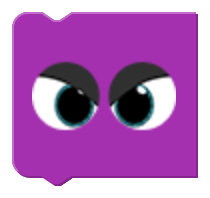
Shows a strong or intense expression.
 Preview coming soon
Makes Doly look completely delighted.
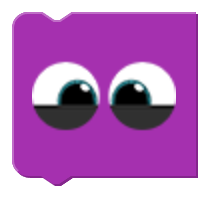 Preview coming soon
Makes Doly's eyes grow wide.
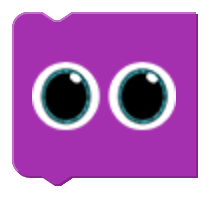 Preview coming soon
Gives Doly an overwhelmed expression.
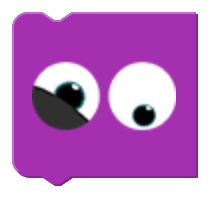 Preview coming soon
Makes Doly look discouraged.
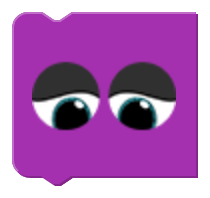 Preview coming soon
No blocks match this search.
Sound
Sound blocks let Doly make simple expressive sounds.
Plays a small friendly sound.
 Preview coming soon
Plays a happy Doly sound.
 Preview coming soon
Plays an impressed sound.
 Preview coming soon
Plays a sad Doly sound.
 Preview coming soon
Plays Doly's crying sound.
 Preview coming soon
Plays an angry Doly sound.
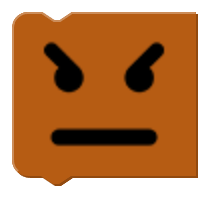 Preview coming soon
Plays an annoyed Doly sound.
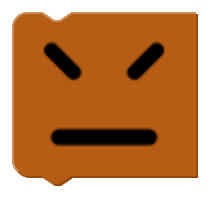 Preview coming soon
Plays Doly's dramatic power-down sound.
 Preview coming soon
Plays a surprised Doly sound.
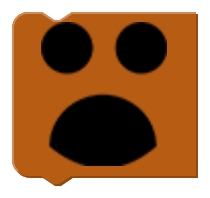 Preview coming soon
Plays Doly's playful provoking sound.
 Preview coming soon
No blocks match this search.
Drive
Drive blocks move or turn Doly by simple preset amounts.
Moves Doly forward a short distance.
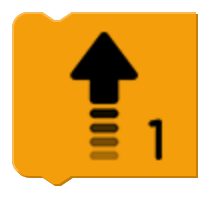 Preview coming soon
Moves Doly forward a medium distance.
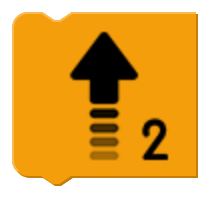 Preview coming soon
Moves Doly forward a longer distance.
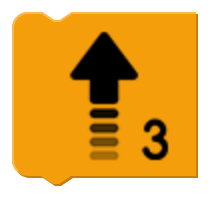 Preview coming soon
Moves Doly backward a short distance.
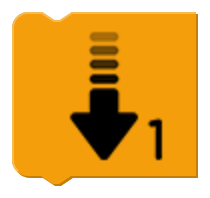 Preview coming soon
Moves Doly backward a medium distance.
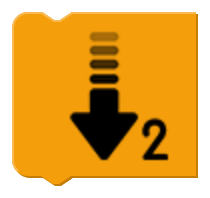 Preview coming soon
Moves Doly backward a longer distance.
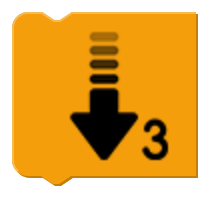 Preview coming soon
Turns Doly right by a small angle.
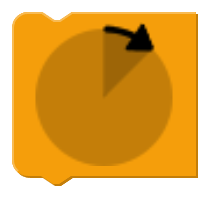 Preview coming soon
Turns Doly right by a quarter turn.
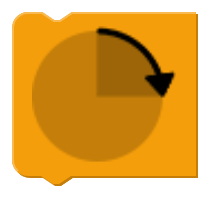 Preview coming soon
Turns Doly right to face the opposite way.
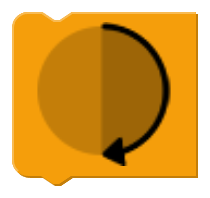 Preview coming soon
Spins Doly one full turn to the right.
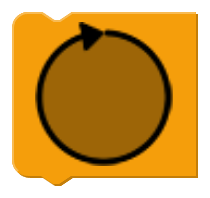 Preview coming soon
Turns Doly left by a small angle.
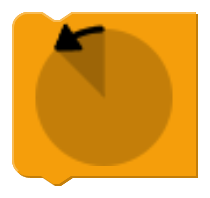 Preview coming soon
Turns Doly left by a quarter turn.
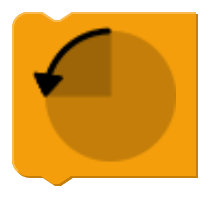 Preview coming soon
Turns Doly left to face the opposite way.
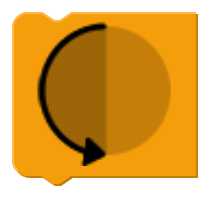 Preview coming soon
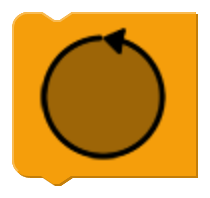
Spins Doly one full turn to the left.
 Preview coming soon
No blocks match this search.
Arm
Arm blocks move Doly's left or right arm to preset positions.
Moves Doly's left arm to its starting position.
 Preview coming soon
Raises Doly's left arm a little.
 Preview coming soon
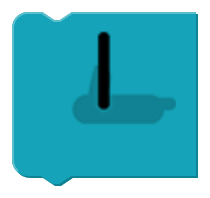
Raises Doly's left arm halfway.
 Preview coming soon
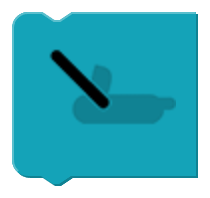
Raises Doly's left arm most of the way.
 Preview coming soon
Moves Doly's left arm to a high position.
 Preview coming soon
Moves Doly's right arm to its starting position.
 Preview coming soon
Raises Doly's right arm a little.
 Preview coming soon
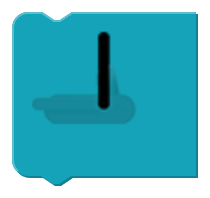
Raises Doly's right arm halfway.
 Preview coming soon
Raises Doly's right arm most of the way.
 Preview coming soon
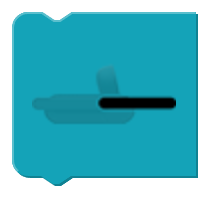
Moves Doly's right arm to a high position.
 Preview coming soon
No blocks match this search.
Lights
Light blocks change Doly's arm light color.
Turns Doly's lights off.
 Preview coming soon
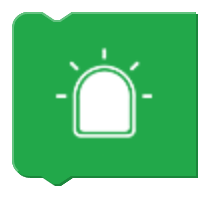
Turns Doly's lights white.
 Preview coming soon
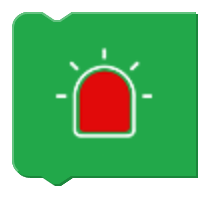
Turns Doly's lights red.
 Preview coming soon
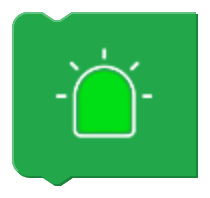
Turns Doly's lights green.
 Preview coming soon
Turns Doly's lights blue.
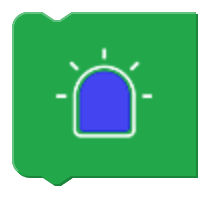 Preview coming soon
Turns Doly's lights yellow.
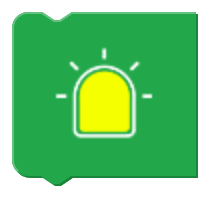 Preview coming soon
Turns Doly's lights pink.
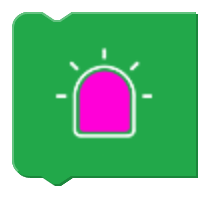 Preview coming soon
Turns Doly's lights orange.
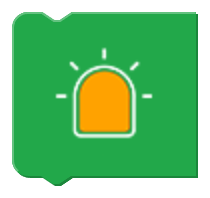 Preview coming soon
No blocks match this search.
Time
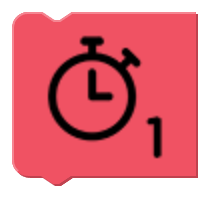
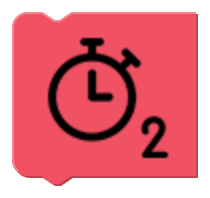
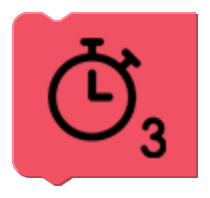
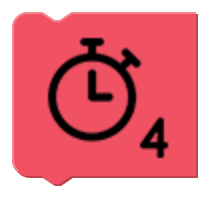
Time blocks make Doly wait before the next action.
Waits for a second.
 Preview coming soon
Waits for 2 seconds.
 Preview coming soon
Waits for 3 seconds
 Preview coming soon
Waits for 4 seconds.
 Preview coming soon
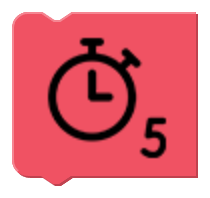
Waits for 5 seconds.
 Preview coming soon
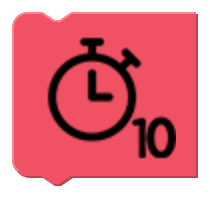
Waits for 10 seconds.
 Preview coming soon
No blocks match this search.
Action blocks build Doly's routine. Modifier blocks plug into compatible actions for extra control.
Eye
Eye blocks control how Doly’s eyes look and move.
Use this block to change Doly’s eye expression.
Eye Expression: Choose the mood group for Doly’s eyes. Type: Choose the exact animation inside that mood group. Start: Choose when this block begins. “previous completed” waits for the block before it to finish. “instant” starts right away.
 Preview coming soon
No blocks match this search.
Sound
Sound blocks let Doly play sounds or speak words.
Use this block to play a sound.
Sound Type: Choose the sound category. Play: Choose the exact sound from that category. Start: Choose when this block begins. “previous completed” waits for the block before it to finish. “instant” starts right away.
 Preview coming soon
Use this block to make Doly speak.
Say: Write the words Doly should say. The text can be up to 255 characters. Start: Choose when this block begins. “previous completed” waits for the block before it to finish. “instant” starts right away.
 Preview coming soon
No blocks match this search.
Drive
Drive blocks control how Doly moves, turns, and reaches positions.
Use this block to move Doly by a set distance.
Drive: Set how far Doly should move. The distance is in millimeters (mm). 1 inch = 25.4 mm. Start: Choose when this block begins. “previous completed” waits for the block before it to finish. “instant” starts right away. Modifier Blocks: Drive Direction, Drive Speed
 Preview coming soon
Use this block to turn Doly left.
Rotate Left: Set how many degrees Doly should turn left. The angle can be 0 to 359 degrees. from center: Choose how Doly turns. Checked means Doly turns around its center by moving both tracks in opposite directions. Unchecked means one track stays stopped while the other track moves. Start: Choose when this block begins. “previous completed” waits for the block before it to finish. “instant” starts right away. Modifier Blocks: Drive Direction, Drive Speed
 Preview coming soon
Use this block to turn Doly right.
Rotate Right: Set how many degrees Doly should turn right. The angle can be 0 to 359 degrees. from center: Choose how Doly turns. Checked means Doly turns around its center by moving both tracks in opposite directions. Unchecked means one track stays stopped while the other track moves. Start: Choose when this block begins. “previous completed” waits for the block before it to finish. “instant” starts right away. Modifier Blocks: Drive Direction, Drive Speed
 Preview coming soon
Use this modifier block to choose Doly’s drive direction.
Direction: Choose Forward or Reverse. Compatible Blocks: Drive Distance, Rotate Left, Rotate Right, Drive Speed Modifier Blocks: Drive Speed
 Preview coming soon
Use this modifier block to set Doly’s drive speed.
Speed: Set how fast Doly drives. The speed can be 1 to 100. Compatible Blocks: Drive Distance, Rotate Left, Rotate Right, Drive Direction Modifier Blocks: Drive Direction
 Preview coming soon
No blocks match this search.
Arm
Arm blocks control Doly’s arm positions.
Use this block to move Doly’s arm to a set angle.
Arm Angle: Set the arm position angle. The angle can be 0 to 225 degrees. Side: Choose which arm should move: Both, Left, or Right. Start: Choose when this block begins. “previous completed” waits for the block before it to finish. “instant” starts right away. Modifier Blocks: Arm Speed & Brake
 Preview coming soon
Use this modifier block to control Doly’s arm speed and hold setting.
Speed: Set how fast the arm moves. The speed can be 1 to 100. Brake: Choose whether Doly should hold the arm at its final position. “Yes” keeps the arm locked in place. “No” lets it release after moving. Compatible Blocks: Arm Angle
 Preview coming soon
No blocks match this search.
Lights
Light blocks control Doly’s arm light colors.
Use this block to set Doly’s arm light color.
Light Color: Choose the light color. Side: Choose which light should change: Both, Left, or Right. Start: Choose when this block begins. “previous completed” waits for the block before it to finish. “instant” starts right away.
 Preview coming soon
No blocks match this search.
Time
Time blocks add pauses between actions.
Use this block to pause the routine.
Delay ms: Set how long Doly should wait before continuing. The time is in milliseconds (ms). The value can be 5 to 60000. 1000 ms = 1 second. Start: Choose when this block begins. “previous completed” waits for the block before it to finish. “instant” starts right away.
 Preview coming soon
No blocks match this search.
Loops
Loop blocks repeat a group of actions.
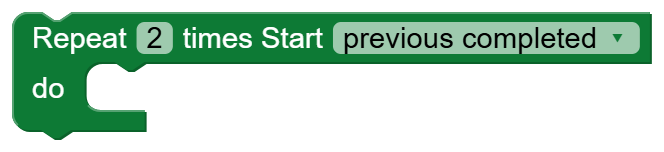
Use this block to repeat actions.
Repeat: Set how many times the actions should run. The value can be 1 to 65535. Start: Choose when this block begins. “previous completed” waits for the block before it to finish. “instant” starts right away. do: Place the action blocks you want to repeat here.
 Preview coming soon
No blocks match this search.
The full toolbox includes action parents, attached modifiers, and nested blocks. Servo and GPIO categories require connected physical hardware.
Eye
Eye blocks control how Doly’s eyes look and move.
Use this block to change Doly’s eye expression.
Eye Expression: Choose the mood group for Doly’s eyes. Type: Choose the exact animation inside that mood group. Start: Choose when this block begins. “previous completed” waits for the block before it to finish. “instant” starts right away. Modifier Blocks: On Complete
 Preview coming soon
Use this block to change the appearance of Doly’s eye.
Eye Type: Choose the main eye type group. Style: Choose the style inside that eye type. Side: Choose which eye should change: Both, Left, or Right. Start: Choose when this block begins. “previous completed” waits for the block before it to finish. “instant” starts right away. Modifier Blocks: On Complete
 Preview coming soon
Use this block to move Doly’s eye position.
X: Set the horizontal eye position. The value can be 0 to 240. Y: Set the vertical eye position. The value can be 0 to 240. Position: X 120 and Y 120 is the center of the eye display. X 0 and Y 0 is the top-left corner. Side: Choose which eye should move: Both, Left, or Right. Start: Choose when this block begins. “previous completed” waits for the block before it to finish. “instant” starts right away. Modifier Blocks: On Complete
 Preview coming soon
Use this block to change Doly’s eye background.
Background Type: Choose the main background type. Style: Choose the style inside that background type. Side: Choose which eye background should change: Both, Left, or Right. Start: Choose when this block begins. “previous completed” waits for the block before it to finish. “instant” starts right away. Modifier Blocks: On Complete
 Preview coming soon
No blocks match this search.
Sound
Sound blocks let Doly play sounds or speak words.
Use this block to play a sound.
Sound Type: Choose the sound category. Play: Choose the exact sound from that category. Start: Choose when this block begins. “previous completed” waits for the block before it to finish. “instant” starts right away. Modifier Blocks: On Complete
 Preview coming soon
Use this block to make Doly speak.
Say: Write the words Doly should say. The text can be up to 255 characters. Start: Choose when this block begins. “previous completed” waits for the block before it to finish. “instant” starts right away. Modifier Blocks: On Complete
 Preview coming soon
No blocks match this search.
Drive
Drive blocks control how Doly moves, turns, and reaches positions.
Use this block to move Doly by a set distance.
Drive: Set how far Doly should move. The distance is in millimeters (mm). 1 inch = 25.4 mm. Start: Choose when this block begins. “previous completed” waits for the block before it to finish. “instant” starts right away. Modifier Blocks: Drive Direction, Drive Speed, Speed & Acceleration & Brake, Speed & Force Control, On Complete
 Preview coming soon
Use this block to move Doly to an X and Y position in a coordinate system.
X: Set the target X position in millimeters (mm). From the 0,0 origin, positive X points to the right. The value can be -32765 to 32765. Y: Set the target Y position in millimeters (mm). From the 0,0 origin, positive Y points forward. The value can be -32765 to 32765. Origin: Doly’s starting position is 0,0 when Blockly starts. If Doly is picked up and placed back on the surface, the origin resets to 0,0. 1 inch = 25.4 mm. Start: Choose when this block begins. “previous completed” waits for the block before it to finish. “instant” starts right away. Modifier Blocks: Drive Direction, Drive Speed, On Complete
 Preview coming soon
Use this block to turn Doly left.
Rotate Left: Set how many degrees Doly should turn left. The angle can be 0 to 359 degrees. from center: Choose how Doly turns. Checked means Doly turns around its center by moving both tracks in opposite directions. Unchecked means one track stays stopped while the other track moves. Start: Choose when this block begins. “previous completed” waits for the block before it to finish. “instant” starts right away. Modifier Blocks: Drive Direction, Drive Speed, Speed & Acceleration & Brake, Speed & Force Control, On Complete
 Preview coming soon
Use this block to turn Doly right.
Rotate Right: Set how many degrees Doly should turn right. The angle can be 0 to 359 degrees. from center: Choose how Doly turns. Checked means Doly turns around its center by moving both tracks in opposite directions. Unchecked means one track stays stopped while the other track moves. Start: Choose when this block begins. “previous completed” waits for the block before it to finish. “instant” starts right away. Modifier Blocks: Drive Direction, Drive Speed, Speed & Acceleration & Brake, Speed & Force Control, On Complete
 Preview coming soon
Use this modifier block to choose Doly’s drive direction.
Direction: Choose Forward or Reverse. Compatible Blocks: Drive Distance, Drive To Position, Rotate Left, Rotate Right, Drive Speed, Speed & Acceleration & Brake Modifier Blocks: Drive Speed, On Complete
 Preview coming soon
Use this modifier block to set Doly’s drive speed.
Speed: Set how fast Doly drives. The speed can be 1 to 100. Compatible Blocks: Drive Distance, Drive To Position, Rotate Left, Rotate Right, Drive Direction Modifier Blocks: Drive Direction, On Complete
 Preview coming soon
Use this modifier block to control Doly’s drive speed, acceleration, and brake setting.
Speed: Set how fast Doly drives. The speed can be 1 to 100. Acceleration: Set how quickly Doly changes speed. The value can be 0 to 50. Brake: Choose whether Doly should brake when the movement is close to the end. Compatible Blocks: Drive Distance, Rotate Left, Rotate Right, Speed & Force Control Modifier Blocks: Drive Direction, On Complete
 Preview coming soon
Use this modifier block to control drive correction and motor protection.
Speed Control: Helps Doly keep its movement correct by adjusting the motor speed on each track side. This is useful when one side has more traction or resistance than the other. Force Control: Helps protect the motors if Doly is blocked or stuck. When enabled, Doly checks motor feedback and stops the motors if it cannot move safely. Compatible Blocks: Drive Distance, Rotate Left, Rotate Right Modifier Blocks: Speed & Acceleration & Brake, On Complete
 Preview coming soon
No blocks match this search.
Arm
Arm blocks control Doly’s arm positions.
Use this block to move Doly’s arm to a set angle.
Arm Angle: Set the arm position angle. The angle can be 0 to 225 degrees. Side: Choose which arm should move: Both, Left, or Right. Start: Choose when this block begins. “previous completed” waits for the block before it to finish. “instant” starts right away. Modifier Blocks: Arm Speed & Brake, On Complete
 Preview coming soon
Use this modifier block to control Doly’s arm speed and hold setting.
Speed: Set how fast the arm moves. The speed can be 1 to 100. Brake: Choose whether Doly should hold the arm at its final position. “Yes” keeps the arm locked in place. “No” lets it release after moving. Compatible Blocks: Arm Angle Modifier Blocks: On Complete
 Preview coming soon
No blocks match this search.
Lights
Light blocks control Doly’s arm light colors.
Use this block to set Doly’s arm light color.
Light Color: Choose the light color. Side: Choose which light should change: Both, Left, or Right. Start: Choose when this block begins. “previous completed” waits for the block before it to finish. “instant” starts right away. Modifier Blocks: On Complete
 Preview coming soon
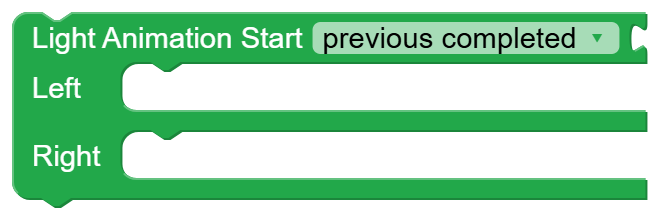
Use this block to create a light animation for Doly’s lights.
Start: Choose when this block begins. “previous completed” waits for the block before it to finish. “instant” starts right away. Left: Add Animation Color blocks for the left light. Right: Add Animation Color blocks for the right light. Nested Blocks: Animation Color Modifier Blocks: On Complete
 Preview coming soon
Use this nested block to add a color step to a light animation.
Color: Choose the light color for this step. Time: Set how long this color step lasts. The time is in milliseconds (ms). The value can be 10 to 10000. If a Light Fade modifier is connected, this time also controls how long the color change takes. Compatible Blocks: Light Animation Modifier Blocks: Light Fade
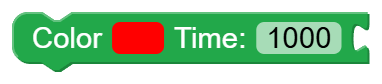 Preview coming soon
Use this modifier block to fade a light color for light animation color blocks.
Fade Color: Choose the color this light step should fade to. Compatible Blocks: Animation Color
 Preview coming soon
No blocks match this search.
Time
Time blocks add pauses between actions.
Use this block to pause the routine.
Delay ms: Set how long Doly should wait before continuing. The time is in milliseconds (ms). The value can be 5 to 60000. 1000 ms = 1 second. Start: Choose when this block begins. “previous completed” waits for the block before it to finish. “instant” starts right away. Modifier Blocks: On Complete
 Preview coming soon
No blocks match this search.
Loops
Loop blocks repeat a group of actions.
Use this block to repeat actions.
Repeat: Set how many times the actions should run. The value can be 1 to 65535. Start: Choose when this block begins. “previous completed” waits for the block before it to finish. “instant” starts right away. do: Place the action blocks you want to repeat here.
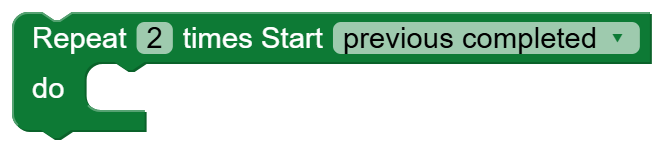 Preview coming soon
No blocks match this search.
Servo
Servo blocks control external servos connected to Doly.
Use this block to move an external servo connected to Doly via GPIO port.
Servo: Choose which servo port to control: pwm_0 or pwm_1. Angle: Set the target servo angle. The angle can be 0 to 240 degrees. Start: Choose when this block begins. “previous completed” waits for the block before it to finish. “instant” starts right away. Modifier Blocks: Servo SI, On Complete
 Preview coming soon
Use this modifier block to control servo speed and direction.
Speed: Set how fast the servo moves. The speed can be 1 to 100. Invert: Choose whether the servo direction should be reversed. Compatible Blocks: Servo Modifier Blocks: On Complete
 Preview coming soon
No blocks match this search.
Gpio
GPIO blocks control and read Doly’s external I/O pins.
Use this block to set a GPIO pin to LOW or HIGH.
I/O #: Choose the GPIO pin number. The value can be 0 to 5. State: Choose the pin state: LOW or HIGH. Start: Choose when this block begins. “previous completed” waits for the block before it to finish. “instant” starts right away. Modifier Blocks: On Complete
 Preview coming soon
Use this block to wait until a GPIO pin becomes LOW or HIGH. To avoid unexpected behavior or deadlock, it will wait up to 65 seconds. If the pin state does not change within that time, the program will be terminated.
I/O #: Choose the GPIO pin number. The value can be 0 to 5. State: Choose the pin state Doly should wait for: LOW or HIGH. Start: Choose when this block begins. “previous completed” waits for the block before it to finish. “instant” starts right away. Modifier Blocks: On Complete
 Preview coming soon
Use this nested block to check a GPIO pin state.
I/O #: Choose the GPIO pin number. The value can be 0 to 5. Comparator: Choose how to compare the pin state: = or ≠. State: Choose the pin state to check: LOW or HIGH. Compatible Blocks: If
 Preview coming soon
No blocks match this search.
Logic
Logic blocks let Doly choose actions based on a condition.
Use this block to run actions only when a condition is true.
If: Add a nested block that checks the condition. Start: Choose when this block begins. “previous completed” waits for the block before it to finish. “instant” starts right away. do: Place the action blocks that should run when the condition is true. Nested Blocks: GPIO If
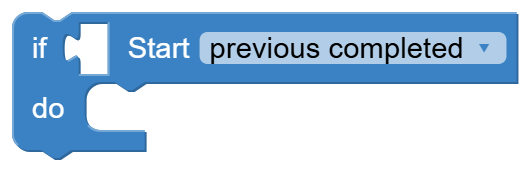 Preview coming soon
No blocks match this search.
Events
Event blocks are triggered after an event happens.
Use this modifier block to run actions after another block finishes.
Completed: Place the action blocks that should run after the connected block finishes. Compatible Blocks: Blocks that accept On Complete.
Example: Use On Complete when one action should happen after a block finishes, but another action should still start right away. For example, Doly can start driving and turn on a light instantly, while an On Complete block makes Doly play a sound only after the drive movement finishes.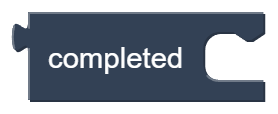 Preview coming soon
No blocks match this search.
Blockly’s limitations include potential performance issues with large projects, restrictions on complex context-sensitive block connections, and challenges in creating certain advanced features. Although Blockly helps demonstrate the basics of programming, it uses a very different underlying structure than real code, which can sometimes lead to logical errors. Some known limitations are listed below:
We’ll show the Dolys available to that profile.
This browser already has completed lessons. Add them to this profile?
When Lessons connects to your Doly, it takes control of the robot. During this time, Doly may not respond to your usual interactions or operate autonomously.
When you're finished, close the Lessons page or browser tab to release control and let Doly return to its normal autonomous mode.
Automatic release: If you don't interact with the Lessons page for 10 minutes, Lessons automatically releases control of Doly, allowing it to return to autonomous mode.
When you start using the Lessons page again, it automatically tries to reconnect to Doly.
Lessons automatically retries the connection while you're using this page.
Supported browsers
Other browsers and platforms have not been verified for connecting to Doly.